Check your Wi-Fi
Ping your router or a local device to help narrow down connection issues.


A simple, accurate ping tool
A ping app that measures actual ICMP packets to determine your network latency. Enter an IP address or hostname to see response times, packet loss, and live replies in a familiar console.
Free to download · Contains ads
See ratings on Google Play Ratings can vary by country and device.
Familiar output. Useful detail.
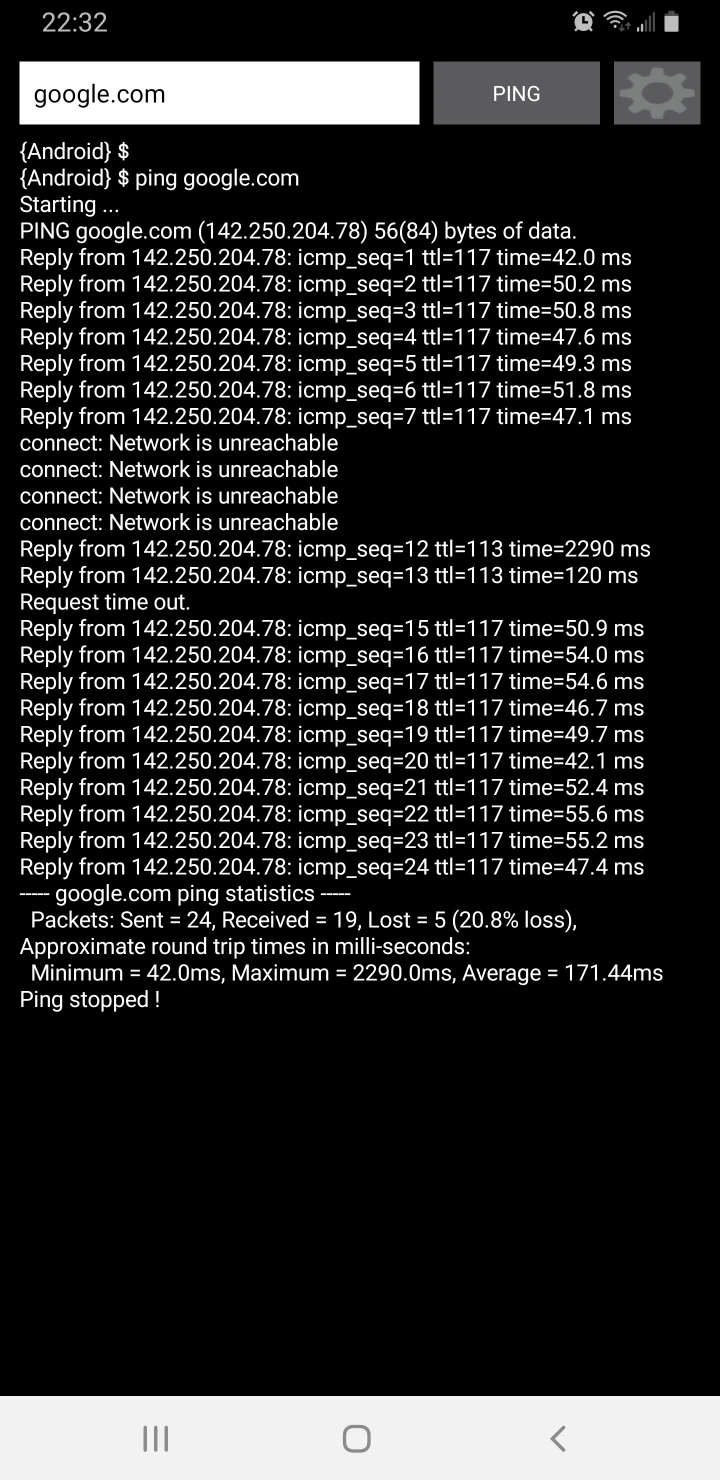
Ping IP sends real ICMP echo requests and measures the round-trip time of the replies. If you know ping on Windows or Linux, you’ll feel right at home: follow results line by line and spot timeouts as they happen.
{Android} $ ping google.com
Reply from 142.250.204.78:
icmp_seq=1 ttl=117 time=42.0 ms
Reply from 142.250.204.78:
icmp_seq=2 ttl=117 time=50.2 ms
Request time out.
Packets: Sent = 24, Received = 19,
Lost = 5 (20.8% loss)
Minimum = 42.0ms
Maximum = 2290.0ms
Average = 171.44ms
Less setup. More clarity.
Type an IP address or hostname. Recent hosts make repeat checks easier.
192.168.1.1Start a real ping session. Watch replies and response times arrive line by line.
PINGTap STOP when you’re done. Review packet loss and the timing summary.
Latency · Packets · SummaryMade for everyday troubleshooting
Ping your router or a local device to help narrow down connection issues.
Check whether a server or hostname responds, right from your Android phone.
Watch response times and timeouts over a session to see when the connection changes.
Stay in the loop
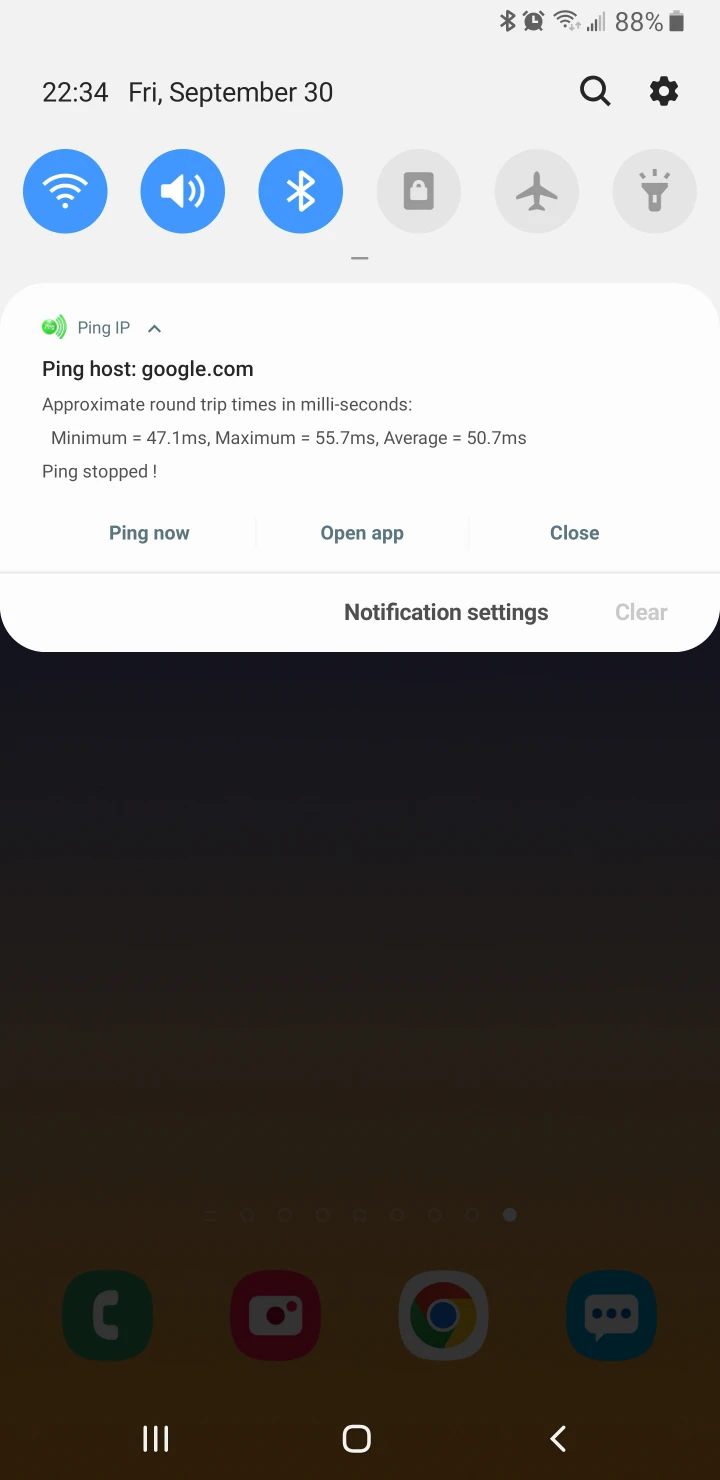
Optional notifications and a floating ping status bubble help you keep an eye on your connection while using your phone.
Enable the options you need in the app. Notification and overlay permissions may be required.
A few useful answers
Simple to start. Easy to understand.
Ping IP is a ping app for Android by ZoroSoft. This simple ping tool uses actual ICMP packets to measure network latency, check host reachability, and report packet loss. Enter an IP address or hostname to see replies in a straightforward console.
Ping IP focuses on ICMP ping, with host reachability checks, live response times, packet loss, and round-trip statistics. Use it as a focused addition to your network tools when checking a router, server, or internet connection.
Yes. Ping IP uses the Android system ping utility to send ICMP echo requests and read the replies. Response times come from these real packet exchanges with the target host.
Ping IP reports round-trip time (RTT): the time for an ICMP echo request to reach the target and its reply to return, in milliseconds. It shows individual response times and a minimum, maximum, and average summary. These measurements reflect the network path to that host during the test.
Yes. Ping IP uses the familiar, line-by-line console style of desktop ping tools, with replies, sequence information, TTL, response times, and a summary. Exact wording can differ between Android, Windows, and Linux.
Open Ping IP, enter a hostname or IP address, and tap PING. Watch the replies as they arrive, then tap STOP to end the session and review the packet and timing summary.
Yes. Connect to the relevant network and enter the device’s IP address. On Android versions that require it, allow local network access. The target must accept ICMP echo requests to reply.
No. A host or firewall may block ping even when other services work. Use response times and packet loss alongside checks of other known hosts to narrow down a connection problem.
Ping IP measures reachability, latency, and packet loss. It does not measure download or upload bandwidth. It helps you understand how a connection responds, rather than how much data it can transfer.
Downloaded over 500,000 times
Download the Ping IP app for Android and start understanding your connection.